 Strict Pomodoro
Name your task. Block distractions.
Strict Pomodoro is a focus timer for Chrome. An AI checks each page you open against your task. A tutorial for your task opens. A cat video stays blocked.

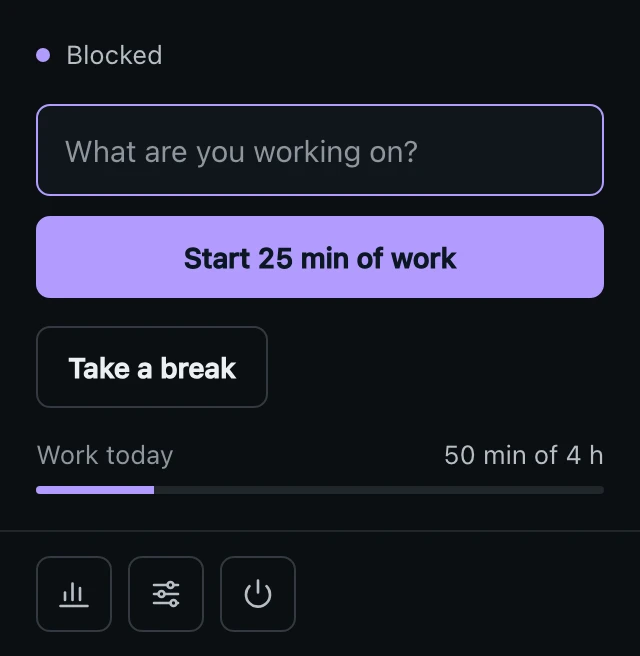
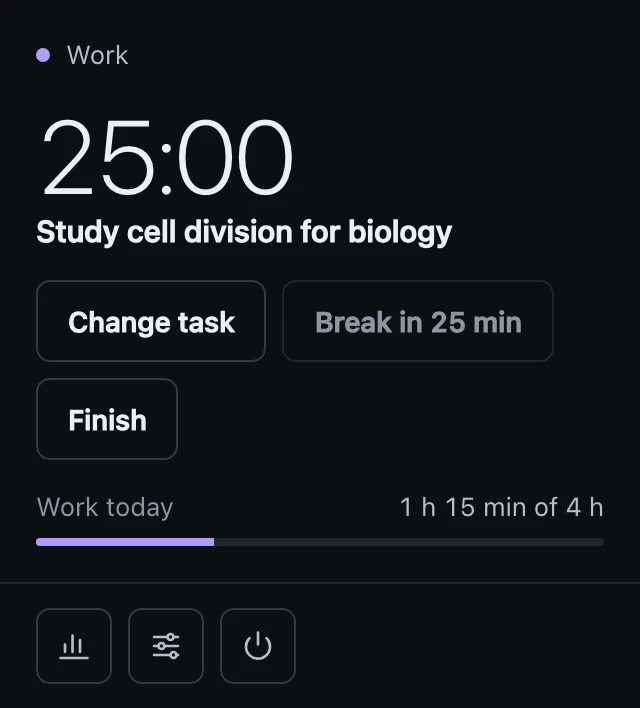


Start with a task.
Enter what you’re working on to start a 25-minute focus session. Until you start, every site stays blocked. You can limit this to your work hours.
AI checks every page.
Pages that help your task open. Is a page you need blocked? Choose ‘This is for work’ and tell the AI why.
Work earns your breaks.
Each 25-minute session earns a 5-minute break. After 4 sessions, you get a 15-minute break.
The AI reads the page, not only the site.
A blocklist blocks all of YouTube, or none of it. The AI checks each page against your task. The tutorial opens. The cat video stays blocked.
- en.wikipedia.orgMitosisOpensArticle about your task.
- youtube.com/watchMitosis explained in 5 minutesOpensVideo about your task.
- youtube.com/watchCats knock things off tables, 10 minutesBlockedEntertainment.
Make your blocks harder to bypass.
We’re planning a desktop app to keep your focus rules in place during work hours. Here’s how the Mac prototype works today.
- Other browsers close.During a focus session, the app closes browsers like Firefox, Edge, Brave and Arc if you open them.
- Chrome requires the extension.Chrome closes if you disable or remove the extension.
- The app restarts automatically.If you force quit it, it opens again.
- Your task stays in view.See your task and the time left in the menu bar or taskbar.
Choose the platforms you use. Your choices help us decide which version to build first.
If you turn on page checks, the extension sends your task and the page’s URL, title and description (if available) to our server when it checks a page. Our server passes that information to an AI model and discards it after the check. Privacy policy